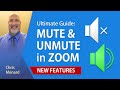
Zoom allows the host to Mute and UnMute participants. One new feature rolled out in release 5.1.0 is the ability for the host to select "Ask All to Unmute". This feature is due to Zoom removing Unmute all in a previous update.
The Ask All to Unmute would be handy when you have a meeting with a lot of people, say 20 participants, and you need to unmute them all at one time. You don't want to individually unmute 20 people.
Timestamps/Bookmarks
00:00 Intro
00:35 Guest joins the meeting
01:14 Participant panel - mute all
01:36 Allow participants to unmute themselves
01:55 Participants cannot unmute themselves
02:35 Ask All to Unmute
03:05 Unmute one person
Mute All
1. Open up the participant panel
2. Click Mute All
Ask All to Unmute
1. Open up the participant panel
2. Click the three dots in the lower right corner
3. Select Ask All to Unmute
This feature came out in version 5.1.0 in Zoom
Allow participants to unmute themselves
1. Open the participant panel
2. After selecting Mute All, check Allow Participants to Unmute Themselves
Unmute one person in a meeting
1. Open the participant panel
2. Point at the person that you want to unmute and click Ask to Unmute
Menard's blog post
https://chrismenardtraining.com/post/ultimate-guide-zoom-mute-and-unmute-participants
#zoom #zoommeeting #chrismenard #chrismenardzoom
Chris Menard's Zoom Resource Center:
https://chrismenardtraining.com/zoom
And make sure you subscribe to my channel!
-- EQUIPMENT USED ---------------------------------
○ My camera – https://amzn.to/3vdgF5E
○ Microphone - https://amzn.to/3gphDXh
○ Camera tripod – https://amzn.to/3veN6Rg
○ Studio lights - https://amzn.to/3vaxyy5
○ Dual monitor mount stand - https://amzn.to/3vbZSjJ
○ Web camera – https://amzn.to/2Tg75Sn
○ Shock mount - https://amzn.to/3g96FGj
○ Boom Arm - https://amzn.to/3g8cNi6
-- SOFTWARE USED ---------------------------------
○ Screen recording – Camtasia – https://chrismenardtraining.com/camtasia
○ Screenshots – Snagit – https://chrismenardtraining.com/snagit
○ YouTube keyword search – TubeBuddy – https://www.tubebuddy.com/chrismenard
DISCLAIMER: Links included in this description might be affiliate links. If you purchase a product or service with the links I provide, I may receive a small commission. There is no additional charge to you! Thank you for supporting my channel, so I can continue to provide you with free content each week!