Home » Science & Technology » SanDisk iXpand Flash Drive Go for iPhone and iPad - DEMO & REVIEW

SanDisk iXpand Flash Drive Go for iPhone and iPad - DEMO & REVIEW

Written By Dave Taylor on Sunday, Feb 23, 2020 | 02:30 PM

 
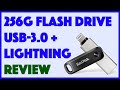
iCloud is a great way to mirror the contents of your Apple iPhone or iPad, but what happens when your device starts to fill up? For that matter, what if you want to share multi-gigabyte files between your iOS device and your Mac or Windows computer? In both cases, the SanDisk iXpand Flash Drive Go is a fantastic solution with its dual USB-3.0 and Lightning connectors. You can back up everything from your iPad or iPhone and share it with friends. You can even copy movies onto the drive and watch them on your iPad without needing to copy the files onto the device! But there are some things you'll want to know about before you make a purchase decision, even for a product at this low price point. Tech expert Dave Taylor of https://www.AskDaveTaylor.com/ runs through a variety of demos, showing how photo backup to the SanDisk iXpand Flash Drive Go works, and then showing on a MacOS X system how everything's easily accessible. Check it out on Amazon: https://amzn.to/2vZ9nJO 0:00 SanDisk iXpand Flash Drive Go 1:35 Automatic Photo Backup 3:07 Direct Photo/Video Recording 4:56 Backing Up Social Media 6:45 Reviewing Backed Up Content 8:10 SanDisk vs. iCloud Backup 10:09 Performance and Power Consumption 12:17 Pricing and Models #sandisk #ixpand #flashdrive #askdavetaylor