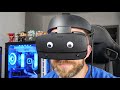
A selection of potential problems with the Oculus Rift S - things to know before you buy.
See the unboxing. https://www.youtube.com/watch?v=Wm4xET665sg
Buy yours from Amazon:
Amazon US - https://amzn.to/2RrIIfq
Amazon UK - https://amzn.to/2PJ1FNK
Amazon CA - https://amzn.to/2LrzRYD
https://www.oculus.com/blog/get-ready-for-rift-s/?locale=en_GB
There a few different problems with the Oculus Rift S that are worth knowing before you buy. Some are obvious, some not so much. The main issue is likely to be the fact that Rift S uses DisplayPort rather than HDMI. You might find your computer/laptop doesn't have a DisplayPort output and you CANNOT use an adapter as the bandwidth is different.
"Laptop Setup: Interface Requirements
If you’re planning to use a laptop with Rift S, make sure it’s equipped with a Mini DisplayPort. Rift S has a high display bandwidth requirement and needs to interface directly with the GPU on your PC. Most laptops that fall within min or rec spec have a mini DisplayPort connected to the discrete GPU.
However, some laptops only have an HDMI, Thunderbolt, or USB-C display output, and unfortunately may not support Rift S. Currently (May 2019), there are no HDMI to DisplayPort adapters that support the bandwidth throughput required for Rift S. Thunderbolt and USB-C laptops may not be configured to interface with the discrete in-spec GPU. Again, some laptops in this category can be used with a USB-C to DisplayPort adapter, but we can’t guarantee performance. If you’re looking for a new laptop, we strongly recommend picking an Oculus Ready Certified PC.
We also recommend keeping your laptop plugged into a power source while using Rift S to maintain optimal performance."
There are other minor issues too, but generally this is an awesome headset. See my Oculus Rift S review for the full info.
Note - some modern laptops do support DisplayPort (or DisplayPort Mini or DP capable USB-C connections) so it's worth checking.
Recorded with:
Panasonic Lumix GH4 - https://amzn.to/2zCB3m1
Panasonic Lumix G Vario 12-32 mm Lens - https://amzn.to/2Oyfp7V
Blue Yeti mic - https://amzn.to/2QuQvYI
0:00 Hellooo
0:20 The move from HDMI to display port cable
0:50 Official response from Oculus
2:05 IPD settings on the headset
2:54 Microphone stopped working
3:35 Headphone support
5:10 issues with heat
PLEASE NOTE
Affiliate links:
Disclosure: Shopping links within the description of this video generate a commission at no extra cost to you. These are added for your convenience but other retailers are available.
Reviewed products:
Products featured may also have been sent for free for review/testing purposes. Often these have to be returned by me, but not always. I endeavour to avoid bias in my videos wherever possible and try to give honest, subjective opinions.
#OculusRiftS #OculusRiftSProblems #BeforeYouBuy #DisplayPort