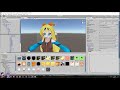
Hi my name is Shana from vrchat and i started not long ago
Learning how to import mmd dances to vrchat was one of the fun stuff to do for me so today im making this easy and quick tutorial where you dont need LODeditor or mmd4mecanim or convert pmx in unity and stuff
Updated MMD tools if yours cant import movement
https://drive.google.com/file/d/1OYezmq1ikp9JmIymNacUVKXKzrC2IKLb/view?usp=sharing
[Keypoints to take note of ]
if you want the face and eyes to move remember not to delete your face shape keys while decimating for me i was lucky that my model came below 20k poly counts
Note that 19.9k is the limit vrchat allows
to decimate without touching the shape keys you need to separate by material from the mmd tools then decimating the body parts one by one
Note 2 [ *outdated* ]
̶i̶ ̶f̶o̶r̶g̶o̶t̶ ̶t̶o̶ ̶a̶d̶d̶ ̶i̶n̶ ̶t̶h̶e̶ ̶a̶u̶d̶i̶o̶ ̶t̶o̶ ̶t̶h̶e̶ ̶s̶c̶r̶i̶p̶t̶ ̶s̶o̶ ̶i̶ ̶h̶a̶d̶ ̶t̶o̶ ̶r̶e̶u̶p̶l̶o̶a̶d̶
̶s̶i̶l̶l̶y̶ ̶m̶e̶ ̶:̶3̶
̶p̶e̶r̶s̶o̶n̶a̶l̶l̶y̶,̶ ̶i̶ ̶w̶o̶u̶l̶d̶ ̶r̶e̶c̶o̶m̶m̶e̶n̶d̶ ̶y̶o̶u̶ ̶t̶o̶ ̶t̶u̶r̶n̶ ̶o̶f̶f̶ ̶o̶n̶s̶p̶ ̶a̶u̶d̶i̶o̶
̶a̶n̶d̶ ̶r̶e̶m̶e̶m̶b̶e̶r̶ ̶t̶o̶ ̶s̶e̶t̶ ̶a̶u̶d̶i̶o̶ ̶r̶a̶n̶g̶e̶ ̶s̶o̶ ̶i̶t̶ ̶d̶o̶s̶e̶n̶t̶ ̶a̶f̶f̶e̶c̶t̶ ̶p̶e̶o̶p̶l̶e̶ ̶i̶n̶ ̶t̶h̶e̶ ̶w̶h̶o̶l̶e̶ ̶m̶a̶p̶ ̶a̶n̶d̶ ̶a̶l̶s̶o̶ ̶a̶u̶d̶i̶o̶ ̶l̶e̶v̶e̶l̶s̶ ̶[̶ ̶w̶o̶u̶l̶d̶n̶t̶ ̶w̶a̶n̶t̶ ̶s̶o̶m̶e̶o̶n̶e̶ ̶t̶o̶ ̶b̶u̶r̶s̶t̶ ̶a̶n̶ ̶e̶a̶r̶d̶r̶u̶m̶ ̶n̶o̶w̶ ̶w̶o̶u̶l̶d̶ ̶w̶e̶ ̶]̶
Note 3
blender uses right click to select objects
pressing h while selecting will hide and object
to unhide just press alt H and always make sure your mouse is inside the 3dview
to delete rigid bodies and joints you can right click on the right and delete hierarchy
or you can just unhide all and do what i do
pressing a will select all / deselect all
Note 4
SIMPLE STEPS : if you dont understand what im doing in blender
import pmx file
press alt h to unhide
click on mesh and press h to hide
click on bone and press h to hide
[ note that you can use the hierarchy to delete the joints and rigidbodies ]
press B and drag select to delete the rigid bodies & joints
press alt H to unhide all
press a till everything deselects then a again till it selects all
import vmd dance
make sure polygon count is less than 20k
export to fbx
[ just a tiny note : dynamic bones are NOT a must
i just added it for the hair ]
and also note that the hair only has 1 bone thus the clipping thru body part
Note 5
Have fun and enjoy
any questions just hit me up on the VRChat Discord group my name is Shana
link to the discord group is as shown below
https://vrchat.net/discord
UPDATE 14/11/17
[IMPORTANT NOTE] : if your dances dont work, one solution is that you might have translated the bones so please DO NOT translate the bones .
UPDATE 21/11/17
Q̶u̶i̶c̶k̶ ̶N̶o̶t̶e̶ ̶t̶o̶ ̶m̶a̶k̶e̶ ̶m̶u̶s̶i̶c̶ ̶s̶t̶o̶p̶ ̶a̶f̶t̶e̶r̶ ̶a̶ ̶c̶e̶r̶t̶a̶i̶n̶ ̶r̶a̶n̶g̶e̶ ̶u̶s̶e̶ ̶O̶N̶S̶P̶ ̶a̶u̶d̶i̶o̶
̶s̶o̶ ̶i̶g̶n̶o̶r̶e̶ ̶m̶y̶ ̶N̶O̶T̶E̶ ̶2̶ ̶o̶f̶ ̶d̶i̶s̶a̶b̶l̶i̶n̶g̶ ̶i̶t̶ ̶a̶n̶d̶ ̶a̶l̶s̶o̶ ̶r̶e̶m̶e̶m̶b̶e̶r̶ ̶t̶o̶ ̶s̶e̶t̶ ̶a̶u̶d̶i̶o̶ ̶r̶a̶n̶g̶e̶ ̶o̶n̶ ̶o̶n̶s̶p̶
and also my volume i always use 0.1 for optimal levels
so for louder or softer just do +/- 0.03
if you split your mesh by material and decimate it one by one
remember to select all the mesh and join them by pressing control j
if not the dance will not work
UPDATE 24/11/17
thanks to a fellow VRChatter for asking this question
in unity if you try to clone by control c and v it wont work
you need to press control D to duplicate then you can press F2 to rename
UPDATE 4/12/17
people dosent seem to notice it so ill just say here that you should use GENERIC instead of HUMANOID
UPDATE 5/1/18
The new vrchat update automatically adds volume and audio range to avatar sounds so audio range in unity dosent work anymore
basically they broke it
so people can only hear when they are standing very near you
UPDATE 19/1/18
havent really had the time to update but in the new-ish update of vrchat you now need to have newest sdk which you can download from https://vrchat.net/ by clicking the download button
^without the newest sdk you wont be able to upload avatars
and also audio range on avatars are now the same range as voice chat so you are able to share you mmd dances better now
volume wise its medium-low
Please note that any pm's asking for my avatars and such will not be responded to as this is becoming an issue now that more and more people are asking me for avatars
Feed shana ? UwU https://streamlabs.com/vrchatshana