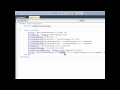
In meinem ersten Tutorial werde ich euch zeigen, wie Ihr eure eigenen Buttons erstellet und sie anschliessend in eure Toolbox einfügen könnt.
_______________________________________________________________
CODE:
Public Class NAME-EURES-BUTTONS
Inherits Windows.Forms.Button
Public Sub New()
Me.Size = New System.Drawing.Point(100, 30)
Me.FlatStyle = Windows.Forms.FlatStyle.Flat
Me.FlatAppearance.BorderSize = 0
Me.FlatAppearance.BorderColor = System.Drawing.Color.Gray
Me.FlatAppearance.MouseDownBackColor = System.Drawing.Color.Transparent
Me.FlatAppearance.MouseOverBackColor = System.Drawing.Color.Transparent
Me.BackColor = System.Drawing.Color.Transparent
Me.BackgroundImage = My.Resources.normal
Me.BackgroundImageLayout = Windows.Forms.ImageLayout.Stretch
Me.Font = New System.Drawing.Font("Tahoma", 9.0!, System.Drawing.FontStyle.Regular, System.Drawing.GraphicsUnit.Point, CType(0, Byte))
End Sub
Private Sub GrayButton2_MouseDown(ByVal sender As Object, ByVal e As System.Windows.Forms.MouseEventArgs) Handles Me.MouseDown
Me.BackgroundImage = My.Resources.pressed
End Sub
Private Sub GrayButton2_MouseEnter(ByVal sender As Object, ByVal e As System.EventArgs) Handles Me.MouseEnter
Me.BackgroundImage = My.Resources.hover
End Sub
Private Sub GrayButton2_MouseLeave(ByVal sender As Object, ByVal e As System.EventArgs) Handles Me.MouseLeave
Me.BackgroundImage = My.Resources.normal
End Sub
Private Sub GrayButton2_MouseUp(ByVal sender As Object, ByVal e As System.Windows.Forms.MouseEventArgs) Handles Me.MouseUp
Me.BackgroundImage = My.Resources.hover
End Sub
End Class
_____________________________________________________________
Bitte Abonnieren, Berwerten und kommentieren
Danke